Project

General

Profile

Step to Change Fiscal Year

In Nepal, a fiscal year is a 12-month period used for accounting, taxation, and financial reporting.It starts on Shrawan 1 and ends on the last day of Ashad.All government budgets, taxes, and business financial records are prepared within this period.

Step to Change Fiscal Year:

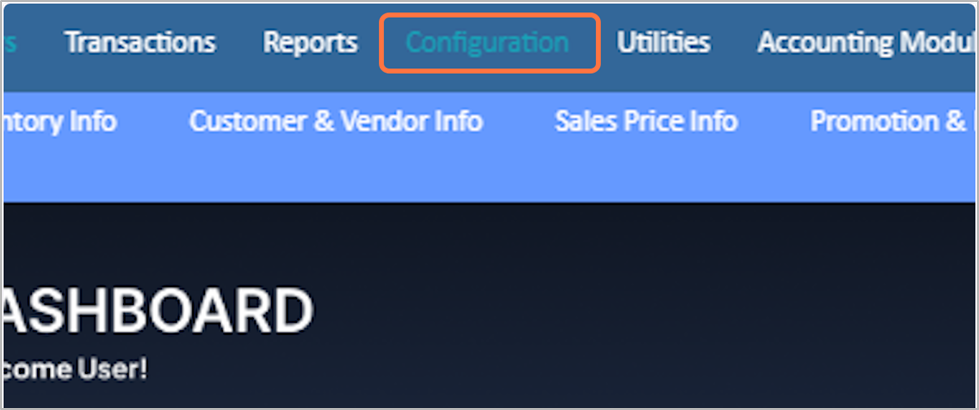
1. Click on the Configuration,from the main menu.

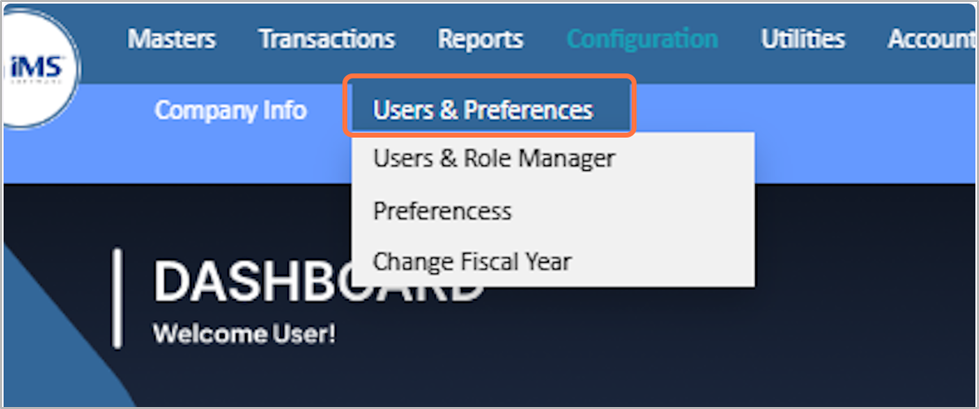
2. Click on Users & Preferences

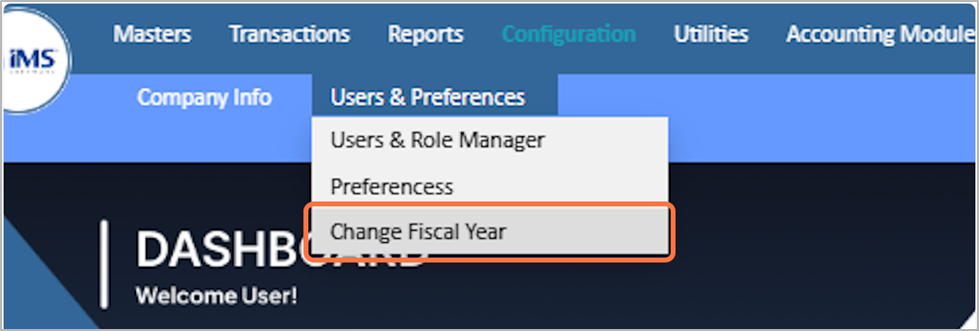
3. Select the Change Fiscal Year

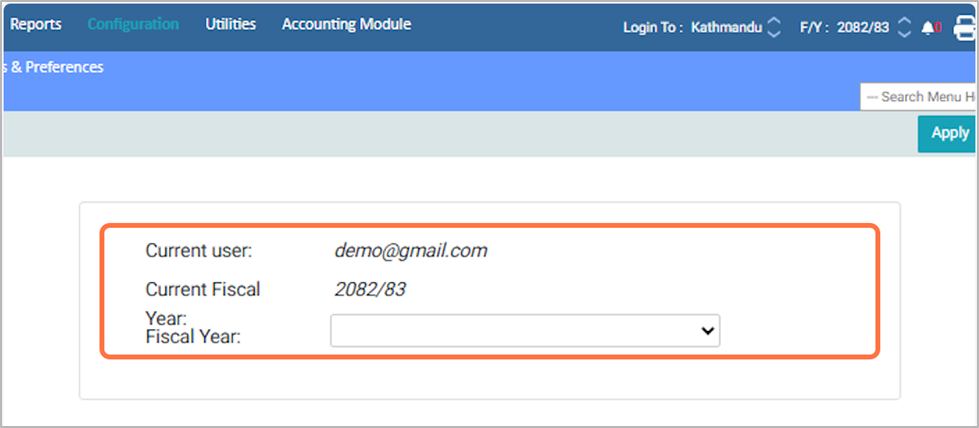
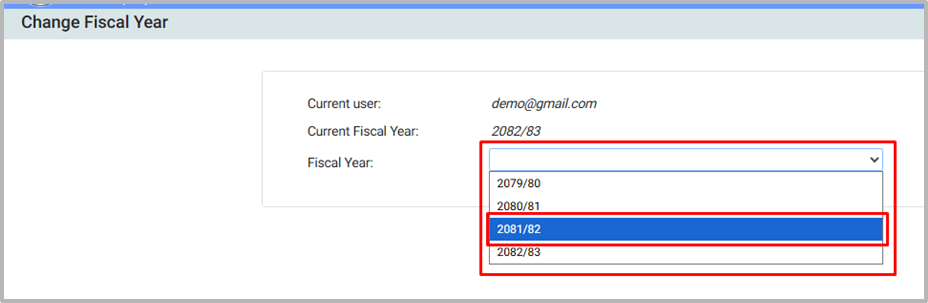
4. The software displays the name of the current user logged in, current fiscal year in use.

5. Choose the fiscal year you want to change from the list.
Eg: 2081/82

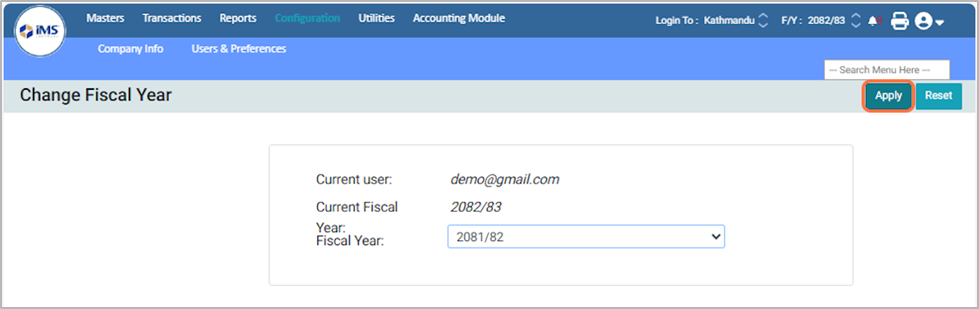
6. Click the Apply button to update and save the selected fiscal year.

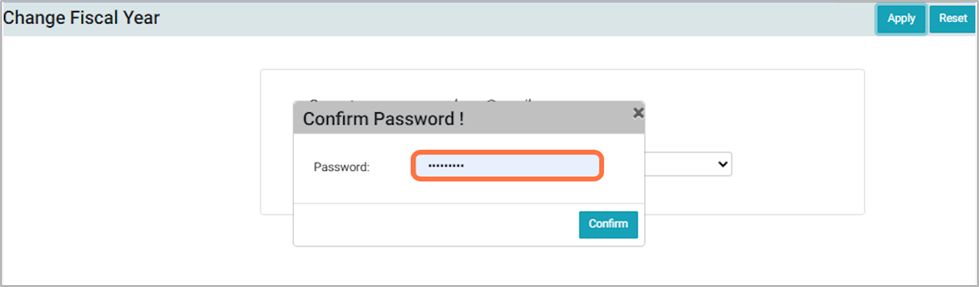
7. Enter your login password and click Confirm to update the selected fiscal year.

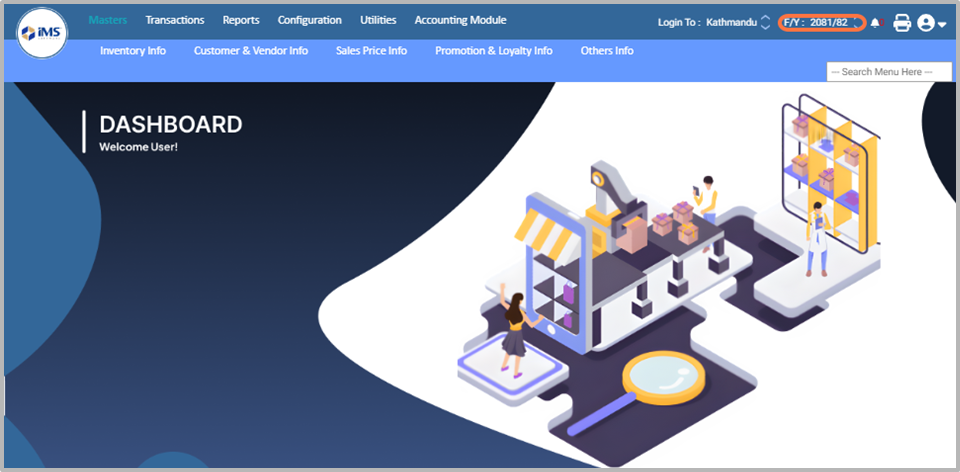
8. Go back to the main dashboard, where the updated fiscal year will be reflected.