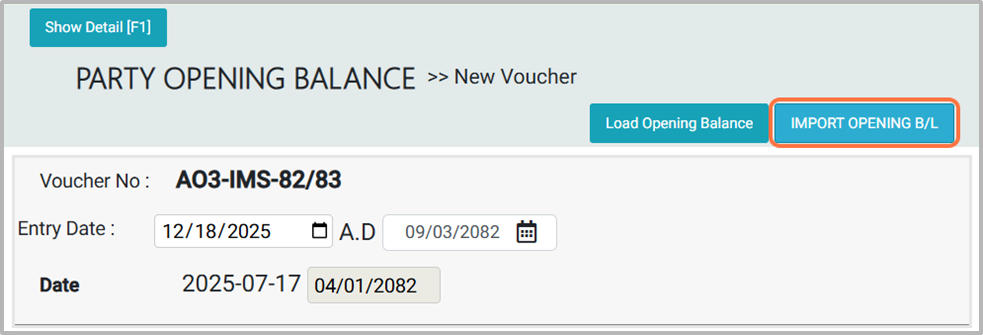
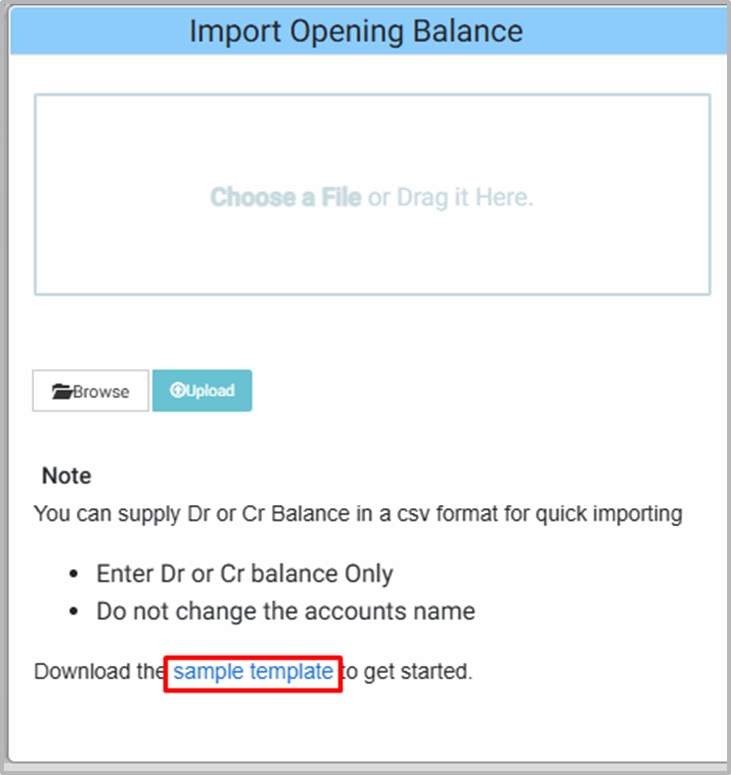
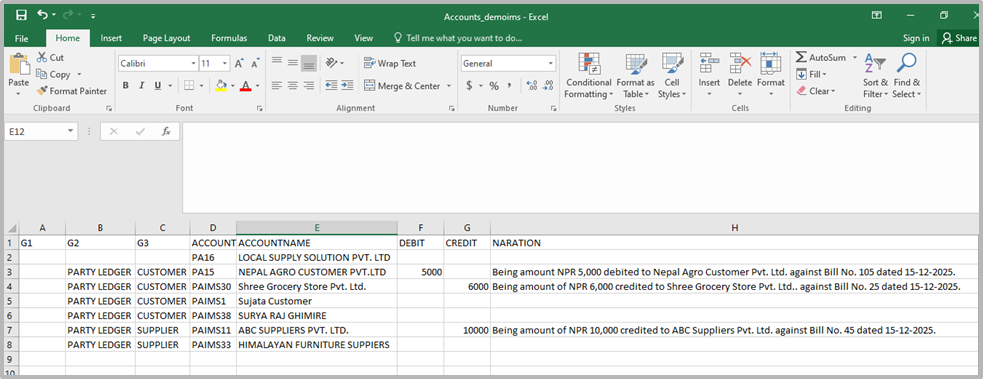
2. From Import Party Opening Balance, choose a sample template to download the example format. Note: In the Excel template, you can enter Debit (DR) and Credit (CR) amounts under the specified headings along with the narration.
3. Open the downloaded sample template in Excel, make the necessary changes, and save the file.
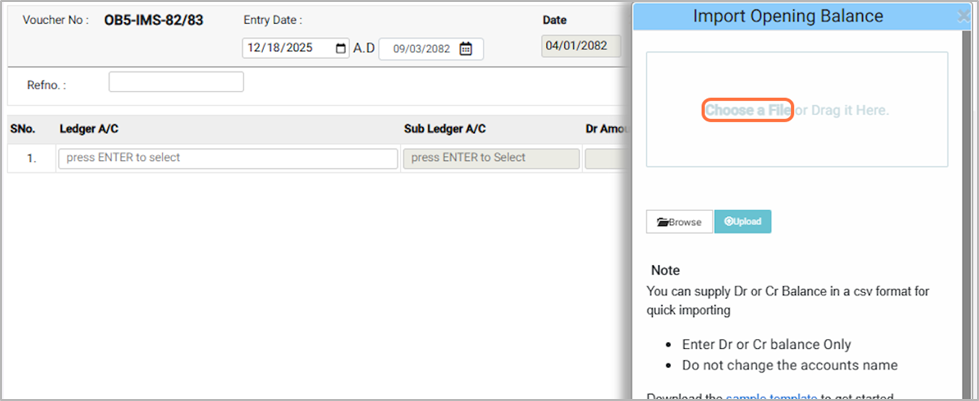
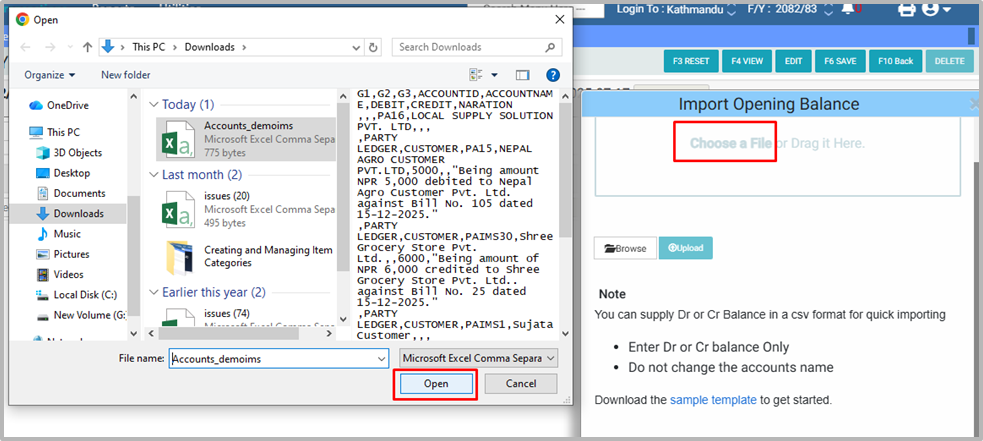
4. Go back to the software and click on Choose File to Upload the Party opening balance
5. Select the file you want to upload. and click to open button
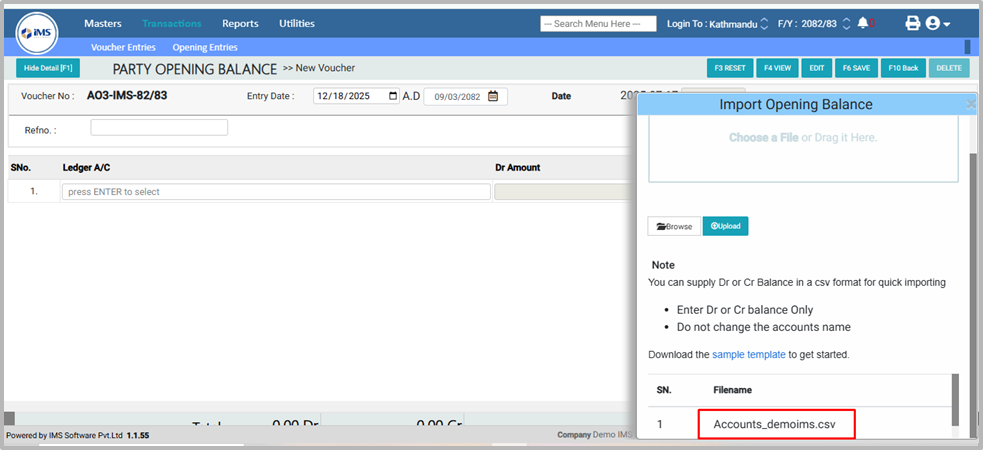
6. Once uploaded, the Accounts_demoims.csv file will appear in the list.
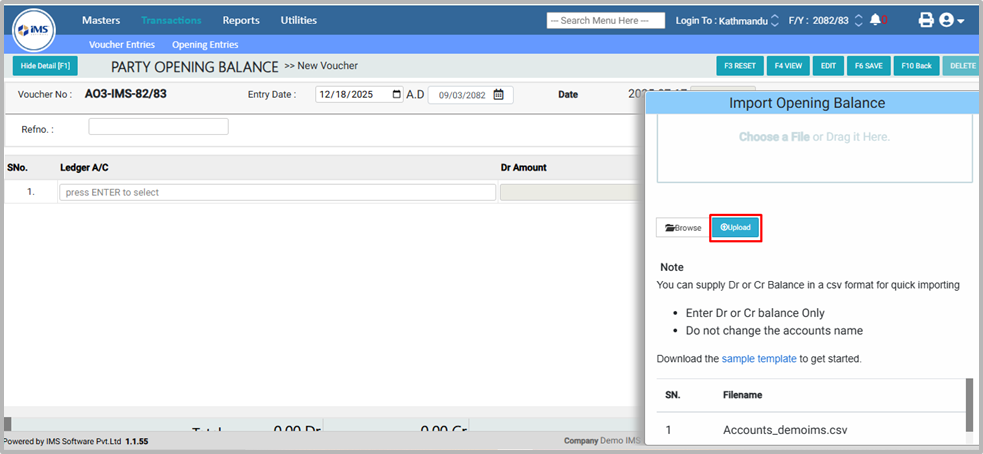
7. Click Upload to import the file into the Software.
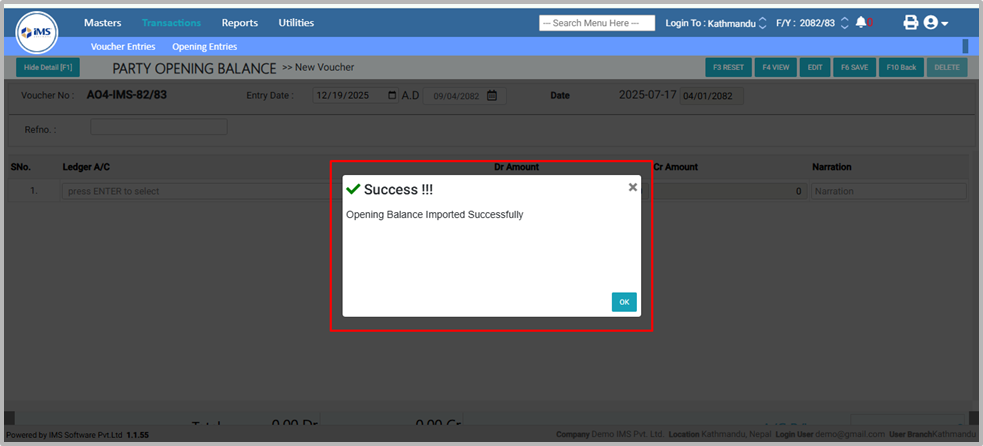
8. Once “Party Opening Balance Imported Successfully” appears, your uploading process is complete.