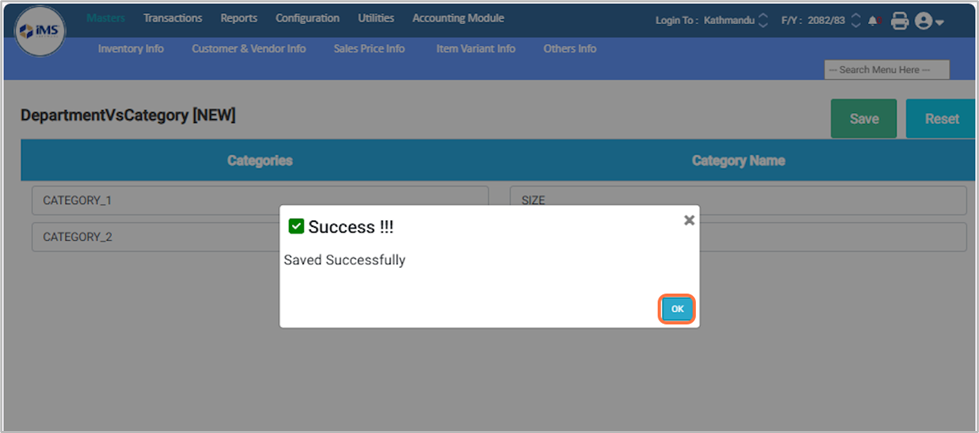
Item Variant Category
Item Variant refers to the different versions of the same product that vary based on attributes such as size, color, material, or other specifications. Instead of creating separate products for each variation, you create one main product and define its variants under it.
For example, in clothes, variants can be size (Small, Medium, Large) and color (Red, Blue, Black). In mobile phones, variants can be storage capacity (64GB, 128GB, 256GB) and color. In electronic devices, variants can be model type, capacity, or configuration.
Enable Settings: Enable the required settings from the system user.
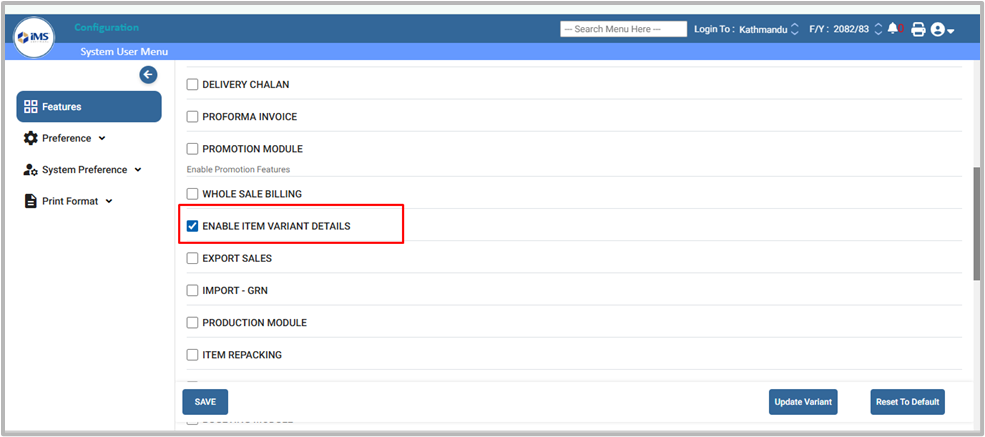
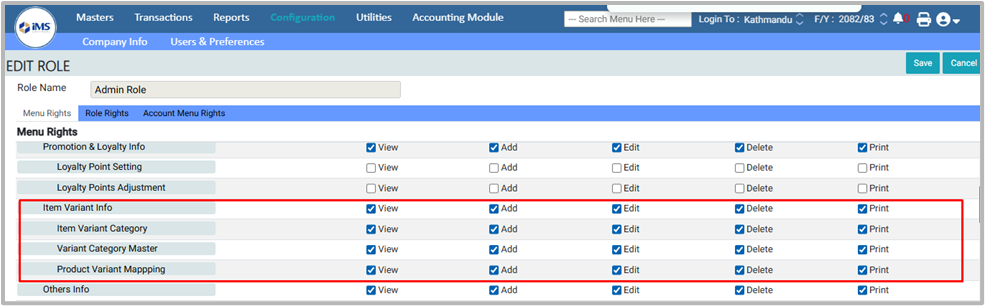
Assign Permissions: In the system, go to Configuration → User Role and tick the View, Edit, Delete, and Print options
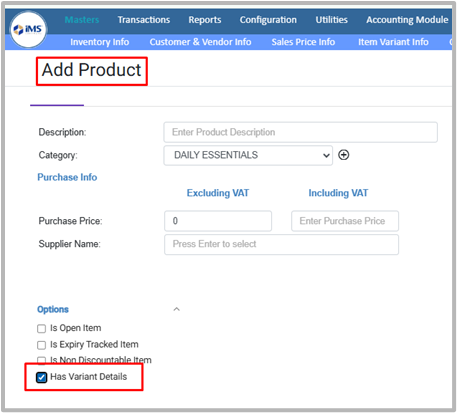
Tick the “Has Variant Details” option while adding the variant product in the Product Master.
The following flowchart illustrates the process of creating and managing Item Variants
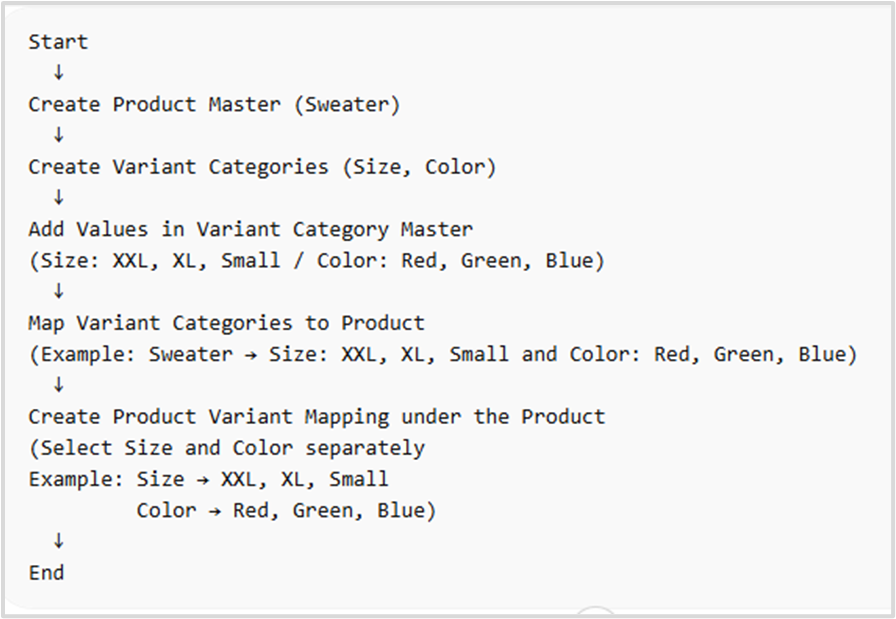
follow the steps below to create an Item Variant :
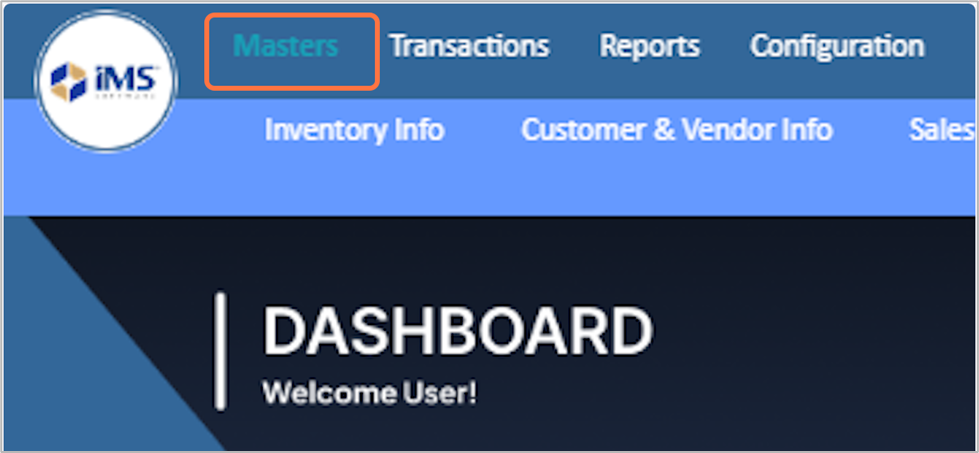
1. Click on Masters Module
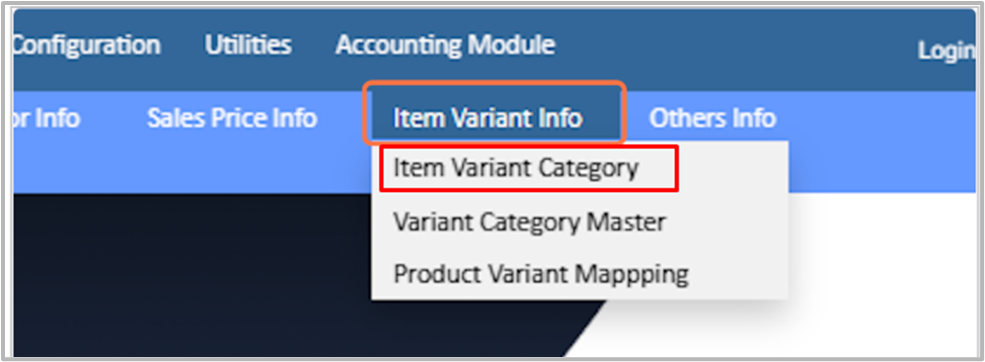
2. Choose the Item Variant Info from the master menu and Click on the Item Variant Category from the available Options.
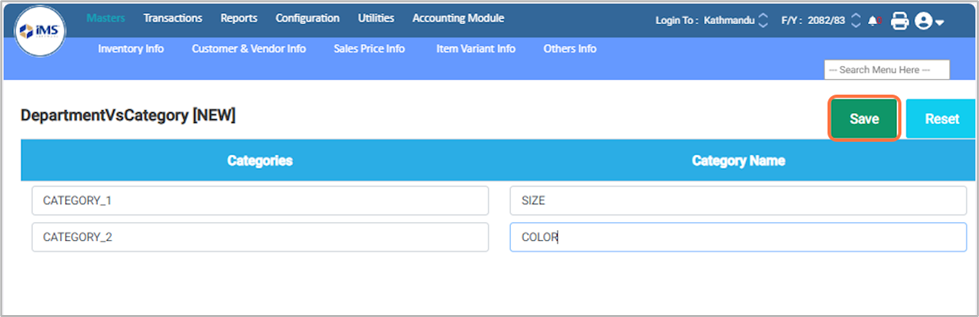
3. In the predefined category field, enter the category name (for example, “Size”), press Enter on your keyboard, then enter another category name (for example, “Color”). You can add more categories by repeating the same process.
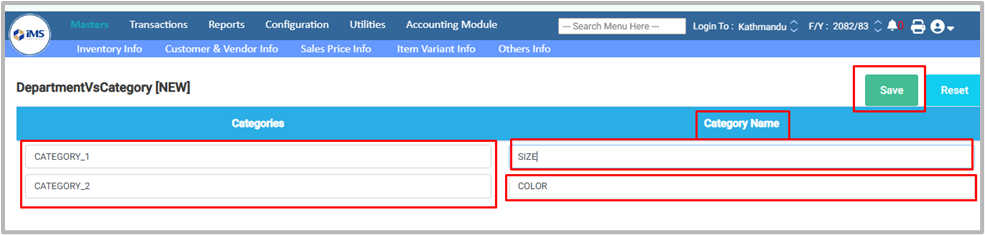
4. Click on the Save button to save the variant category.
5. A “Saved Successfully” message will appear on your screen.